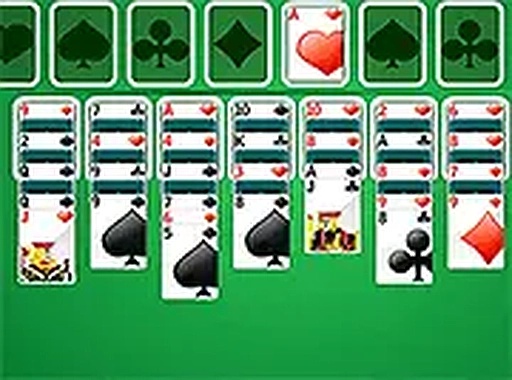
Double Klondike Solitaire Card Game
Reviews
Double Klondike Solitaire offers a fresh take on the classic card game by doubling the foundations to eight. This small change creates a more complex puzzle that rewards careful planning. The game is free, requires no download, and works perfectly on any device. The clean interface and undo feature make it accessible for beginners while still engaging for solitaire veterans. A great choice for casual play.
About this game
Game Introduction
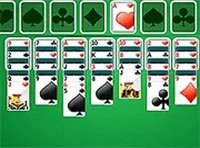
Double Klondike Solitaire is a free online card game that expands on the traditional Klondike solitaire experience. The core objective remains the same: move all cards to foundations built from Ace to King in each suit. However, this version introduces eight foundations instead of the usual four, offering a more complex and engaging puzzle. Players arrange cards on the tableau in descending order with alternating colors, while a stock pile on the left provides new cards when clicked. This game is designed to be accessible for newcomers yet challenging for experienced solitaire enthusiasts. It runs smoothly on any device with a clean, intuitive interface, making it a convenient choice for quick play sessions or extended strategy sessions.
How to Play
To play, examine the tableau of cards. Your goal is to move all cards to the eight foundations, building each suit from Ace to King. On the tableau, arrange cards in descending order from King to Ace and alternate colors. Click the stock pile on the left to draw a new card. Use this card to build sequences on the tableau or move it directly to a foundation. The undo feature allows you to correct moves and refine your strategy. The game ends when all cards are moved to the foundations in the correct order. Play strategically to clear the tableau efficiently.
Game Features
Double Klondike Solitaire is free to play with no download required. It features a mobile-friendly design that works on all screen sizes. Full screen mode provides an immersive experience. The controls are clean and simple, suitable for all ages. An undo feature helps players learn and improve their strategy.
Tips for Success
Focus on building foundations early to free up tableau space. Use the undo feature to experiment with different moves without penalty. Prioritize revealing face-down cards on the tableau to increase your options. Avoid moving cards to foundations too quickly if they might be needed for sequences. Practice regularly to recognize patterns and improve your strategy.