
Description
Core Puzzle Mechanics
This digital tile game presents players with a grid of shuffled pieces, where one empty slot allows adjacent tiles to be moved. The goal is to slide each tile into its correct position, gradually revealing a full image of a bunny. The mechanic is straightforward: tap a tile next to the empty space to shift it. This simple action forms the basis of all challenges, requiring careful planning and sequential moves. Unlike timed puzzles, there is no pressure to rush, letting players think through each step at their own pace.
Visual Theme and Appeal
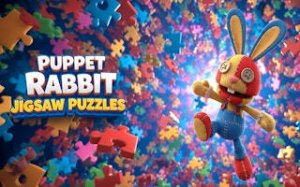
The artwork centers on a friendly bunny character, drawn with soft colors and clear outlines that make the image easy to recognize. Each puzzle image is divided into tiles that, when correctly ordered, create a cohesive and charming picture. The visual style is intentionally simple to avoid distractions, keeping the focus on the logical task of ordering pieces. This approach makes the game accessible to younger players while still engaging for adults who enjoy clean, uncluttered design.
Progression and Difficulty
Players can start with smaller grid sizes, such as a 3x3 layout, which introduces the sliding mechanic with fewer pieces. As confidence grows, larger grids like 4x4 or 5x5 increase the number of moves needed and the complexity of the arrangement. This gradual scaling ensures that newcomers can learn the basics without frustration, while experienced solvers find fresh challenges. The difficulty curve is smooth, with each new size requiring more advanced spatial thinking and memory.
Helpful Tools and Features
A preview option lets players view the completed image at any time, serving as a reference for tile placement. This feature is especially useful for beginners who are still learning to visualize the final picture. The interface uses simple tap controls, with no complicated menus or settings to navigate. There are no timers, scores, or penalties, which reduces anxiety and allows for a relaxed experience. These design choices make the game suitable for short play sessions or longer, focused solving.






Player Comments
Sign in to comment
You must be logged in before posting a review or rating.
No account? Create one
No comments yet. Be the first to comment!